# 截图一MCP
## 基本信息
- Slug: `screenshotone-mcp`
- Source: modelscope
- Publisher: @screenshotone/mcp
- Categories: browser-automation / image-and-video-processing
- Hosted: No
- License: MIT License
- Source URL: https://www.modelscope.cn/mcp/servers/@screenshotone/mcp
## 简介
一个官方的MCP服务器实现,允许AI助手通过ScreenshotOne API捕获网站截图,从而在对话过程中提供网页的视觉上下文。
## 安装提示
```bash
npm run install && npm run build
```
## MCP Server 详情
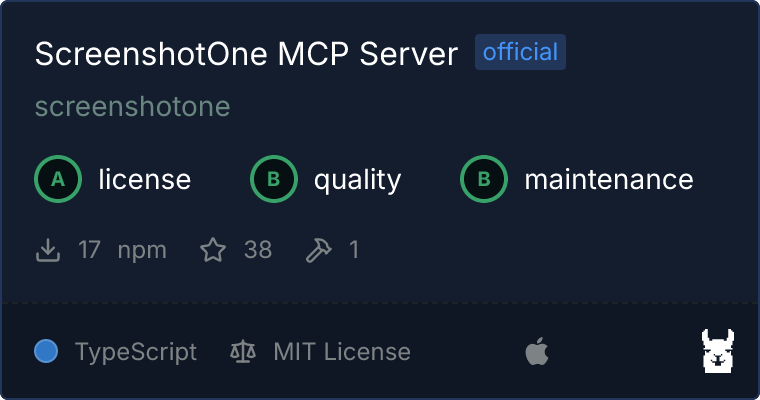
# ScreenshotOne MCP 服务器
这是 [MCP (Model Context Protocol)](https://modelcontextprotocol.io/) 服务器的一个官方实现,用于 [ScreenshotOne](https://screenshotone.com)。
[更多关于为什么构建它以及对未来 MCP 的一些思考](https://screenshotone.com/blog/mcp-server/)。
 ## 工具
- `render-website-screenshot`: 渲染网站的截图并将其作为图像返回。
## 使用方法
### 构建
始终先安装依赖项并构建:
```bash
npm run install && npm run build
```
### 获取你的 ScreenshotOne API 密钥
在 [ScreenshotOne](https://screenshotone.com) 注册并获取你的 API 密钥。
### 与 Claude for Desktop 一起使用
将以下内容添加到你的 `~/Library/Application\ Support/Claude/claude_desktop_config.json` 文件中:
```json
{
"mcpServers": {
"screenshotone": {
"command": "node",
"args": ["path/to/screenshotone/mcp/build/index.js"],
"env": {
"SCREENSHOTONE_API_KEY": ""
}
}
}
}
```
### 独立使用或用于其他项目
```bash
SCREENSHOTONE_API_KEY=your_api_key && node build/index.js
```
## 许可证
`ScreenshotOne MCP 服务器` 根据 [MIT 许可证](LICENSE)许可。
## 工具
- `render-website-screenshot`: 渲染网站的截图并将其作为图像返回。
## 使用方法
### 构建
始终先安装依赖项并构建:
```bash
npm run install && npm run build
```
### 获取你的 ScreenshotOne API 密钥
在 [ScreenshotOne](https://screenshotone.com) 注册并获取你的 API 密钥。
### 与 Claude for Desktop 一起使用
将以下内容添加到你的 `~/Library/Application\ Support/Claude/claude_desktop_config.json` 文件中:
```json
{
"mcpServers": {
"screenshotone": {
"command": "node",
"args": ["path/to/screenshotone/mcp/build/index.js"],
"env": {
"SCREENSHOTONE_API_KEY": ""
}
}
}
}
```
### 独立使用或用于其他项目
```bash
SCREENSHOTONE_API_KEY=your_api_key && node build/index.js
```
## 许可证
`ScreenshotOne MCP 服务器` 根据 [MIT 许可证](LICENSE)许可。