# DeepSeek Claude推理增强器
## 基本信息
- Slug: `harshj23-deepseek-claude-mcp-server`
- Source: modelscope
- Publisher: @HarshJ23/deepseek-claude-MCP-server
- Categories: developer-tools / knowledge-and-memory
- Hosted: No
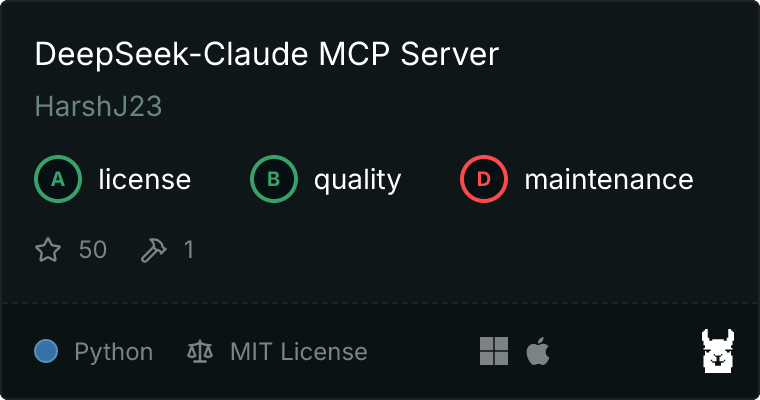
- License: MIT License
- Source URL: https://www.modelscope.cn/mcp/servers/@HarshJ23/deepseek-claude-MCP-server
## 简介
通过集成 DeepSeek R1 的先进推理引擎,增强 Claude 的推理能力,以帮助解决复杂的多步骤推理任务。
## 安装提示
```bash
npx -y @smithery/cli install @HarshJ23/deepseek-claude-MCP-server --client claude
```
## MCP Server 详情
# DeepSeek-Claude MCP 服务器
[](https://smithery.ai/server/@HarshJ23/deepseek-claude-MCP-server)
通过集成 DeepSeek R1 的高级推理引擎**增强 Claude 的推理能力**。此服务器使 Claude 能够利用 deepseek r1 模型的推理能力来处理复杂的推理任务。
 ---
## 🚀 功能
### **高级推理能力**
- 无缝集成 DeepSeek R1 的推理与 Claude。
- 支持复杂的多步骤推理任务。
- 旨在生成精确且高效的深思熟虑的回答。
---
## 完整设置指南
### 通过 Smithery 安装
要通过 [Smithery](https://smithery.ai/server/@HarshJ23/deepseek-claude-MCP-server) 自动为 Claude Desktop 安装 DeepSeek-Claude:
```bash
npx -y @smithery/cli install @HarshJ23/deepseek-claude-MCP-server --client claude
```
### 前提条件
- Python 3.12 或更高版本
- `uv` 包管理器
- DeepSeek API 密钥(在 [DeepSeek 平台](https://platform.deepseek.com) 注册)
1. **克隆仓库**
```bash
git clone https://github.com/harshj23/deepseek-claude-MCP-server.git
cd deepseek-claude-MCP-server
```
2. **确保 UV 已设置**
- **Windows**: 在 PowerShell 中运行以下命令:
```powershell
powershell -ExecutionPolicy ByPass -c "irm https://astral.sh/uv/install.ps1 | iex"
```
- **Mac**: 运行以下命令:
```bash
curl -LsSf https://astral.sh/uv/install.sh | sh
```
3. **创建虚拟环境**
```bash
uv venv
source .venv/bin/activate
```
4. **安装依赖项**
```bash
uv add "mcp[cli]" httpx
```
5. **设置 API 密钥**
```bash
从此处获取您的 API 密钥: https://platform.deepseek.com/api_keys
```
6. **配置 MCP 服务器**
编辑 `claude_desktop_config.json` 文件以包含以下配置:

```json
{
"mcpServers": {
"deepseek-claude": {
"command": "uv",
"args": [
"--directory",
"C:\\ABSOLUTE\\PATH\\TO\\PARENT\\FOLDER\\deepseek-claude",
"run",
"server.py"
]
}
}
}
```
7. **运行服务器**
```bash
uv run server.py
```
8. **测试设置**
- ##### 重启 Claude Desktop。
- 确认界面中可见工具图标。


- 如果服务器不可见,请参阅[故障排除指南](https://modelcontextprotocol.io/quickstart/server#troubleshooting)。
---
## 🛠 使用方法
### 启动服务器
当与 Claude Desktop 一起使用时,服务器会自动启动。确保 Claude Desktop 配置为能够检测到 MCP 服务器。
### 示例工作流程
1. Claude 接收到一个需要高级推理的查询。
2. 该查询被转发给 DeepSeek R1 进行处理。
3. DeepSeek R1 返回用 `` 标签包裹的结构化推理。
4. Claude 将推理整合到其最终响应中。
---
## 📄 许可证
本项目采用 MIT 许可证。详情请参阅 [LICENSE](LICENSE) 文件。
---
---
## 🚀 功能
### **高级推理能力**
- 无缝集成 DeepSeek R1 的推理与 Claude。
- 支持复杂的多步骤推理任务。
- 旨在生成精确且高效的深思熟虑的回答。
---
## 完整设置指南
### 通过 Smithery 安装
要通过 [Smithery](https://smithery.ai/server/@HarshJ23/deepseek-claude-MCP-server) 自动为 Claude Desktop 安装 DeepSeek-Claude:
```bash
npx -y @smithery/cli install @HarshJ23/deepseek-claude-MCP-server --client claude
```
### 前提条件
- Python 3.12 或更高版本
- `uv` 包管理器
- DeepSeek API 密钥(在 [DeepSeek 平台](https://platform.deepseek.com) 注册)
1. **克隆仓库**
```bash
git clone https://github.com/harshj23/deepseek-claude-MCP-server.git
cd deepseek-claude-MCP-server
```
2. **确保 UV 已设置**
- **Windows**: 在 PowerShell 中运行以下命令:
```powershell
powershell -ExecutionPolicy ByPass -c "irm https://astral.sh/uv/install.ps1 | iex"
```
- **Mac**: 运行以下命令:
```bash
curl -LsSf https://astral.sh/uv/install.sh | sh
```
3. **创建虚拟环境**
```bash
uv venv
source .venv/bin/activate
```
4. **安装依赖项**
```bash
uv add "mcp[cli]" httpx
```
5. **设置 API 密钥**
```bash
从此处获取您的 API 密钥: https://platform.deepseek.com/api_keys
```
6. **配置 MCP 服务器**
编辑 `claude_desktop_config.json` 文件以包含以下配置:

```json
{
"mcpServers": {
"deepseek-claude": {
"command": "uv",
"args": [
"--directory",
"C:\\ABSOLUTE\\PATH\\TO\\PARENT\\FOLDER\\deepseek-claude",
"run",
"server.py"
]
}
}
}
```
7. **运行服务器**
```bash
uv run server.py
```
8. **测试设置**
- ##### 重启 Claude Desktop。
- 确认界面中可见工具图标。


- 如果服务器不可见,请参阅[故障排除指南](https://modelcontextprotocol.io/quickstart/server#troubleshooting)。
---
## 🛠 使用方法
### 启动服务器
当与 Claude Desktop 一起使用时,服务器会自动启动。确保 Claude Desktop 配置为能够检测到 MCP 服务器。
### 示例工作流程
1. Claude 接收到一个需要高级推理的查询。
2. 该查询被转发给 DeepSeek R1 进行处理。
3. DeepSeek R1 返回用 `` 标签包裹的结构化推理。
4. Claude 将推理整合到其最终响应中。
---
## 📄 许可证
本项目采用 MIT 许可证。详情请参阅 [LICENSE](LICENSE) 文件。
---