# MCP Open Library 服务器
## 基本信息
- Slug: `8ensmith-mcp-open-library`
- Source: modelscope
- Publisher: @8enSmith/mcp-open-library
- Categories: search / art-and-culture
- Hosted: No
- License: MIT License
- Source URL: https://www.modelscope.cn/mcp/servers/@8enSmith/mcp-open-library
## 简介
用于开放图书馆API的模型上下文协议(MCP)服务器,使人工智能助手能够搜索书籍信息。
## 安装提示
```bash
# Clone the repository git clone https://github.com/your-username/mcp-open-library.git cd mcp-open-library # Install dependencies npm install # Build the project npm run build
```
## MCP Server 详情
# MCP Open Library
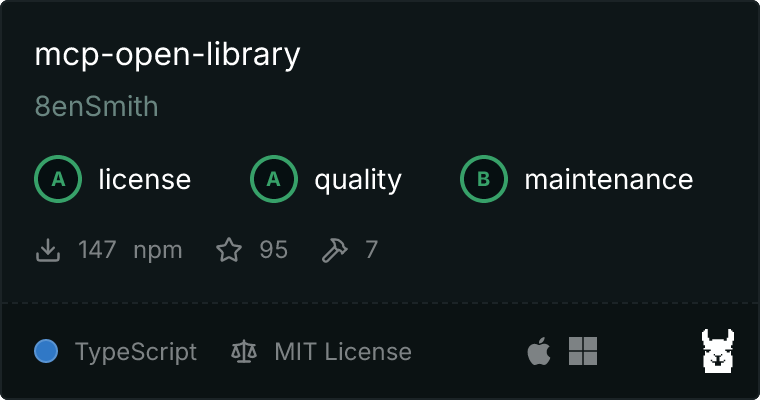
一个为 Open Library API 实现的模型上下文协议 (MCP) 服务器,使 AI 助手能够搜索书籍信息。
 ## 概览
该项目实现了一个 MCP 服务器,提供了一个工具,使 AI 助手能够通过标题在 [Open Library](https://openlibrary.org/) 中搜索书籍信息。服务器返回关于最相关书籍匹配的结构化数据,包括书名、作者、出版年份和其他元数据。
## 特性
- **按标题搜索书籍**:使用书名搜索书籍并获取详细信息
- **结构化的响应格式**:以一致的 JSON 结构返回书籍信息
- **错误处理**:适当的验证和错误报告
- **测试**:使用 Vitest 进行全面的测试覆盖
## 安装
```bash
# Clone the repository
git clone https://github.com/your-username/mcp-open-library.git
cd mcp-open-library
# Install dependencies
npm install
# Build the project
npm run build
```
## 使用
### 运行服务器
您可以使用 MCP Inspector 来测试服务器:
```bash
npm run inspector
```
访问 MCP Inspector 然后测试工具,例如:

### 与 MCP 客户端一起使用
该服务器实现了模型上下文协议,这意味着它可以被任何兼容 MCP 的 AI 助手或客户端使用,例如 [Claude Desktop](https://modelcontextprotocol.io/quickstart/user)。服务器提供了以下工具:
- `get_book_by_title`:按标题搜索书籍信息
示例输入:
```json
{
"title": "The Hobbit"
}
```
示例输出:
```json
{
"title": "The Hobbit",
"authors": ["J.R.R. Tolkien"],
"first_publish_year": 1937,
"open_library_work_key": "/works/OL45883W",
"edition_count": 120
}
```
在 Claude Desktop 中使用此工具的一个例子如下所示:
## 概览
该项目实现了一个 MCP 服务器,提供了一个工具,使 AI 助手能够通过标题在 [Open Library](https://openlibrary.org/) 中搜索书籍信息。服务器返回关于最相关书籍匹配的结构化数据,包括书名、作者、出版年份和其他元数据。
## 特性
- **按标题搜索书籍**:使用书名搜索书籍并获取详细信息
- **结构化的响应格式**:以一致的 JSON 结构返回书籍信息
- **错误处理**:适当的验证和错误报告
- **测试**:使用 Vitest 进行全面的测试覆盖
## 安装
```bash
# Clone the repository
git clone https://github.com/your-username/mcp-open-library.git
cd mcp-open-library
# Install dependencies
npm install
# Build the project
npm run build
```
## 使用
### 运行服务器
您可以使用 MCP Inspector 来测试服务器:
```bash
npm run inspector
```
访问 MCP Inspector 然后测试工具,例如:

### 与 MCP 客户端一起使用
该服务器实现了模型上下文协议,这意味着它可以被任何兼容 MCP 的 AI 助手或客户端使用,例如 [Claude Desktop](https://modelcontextprotocol.io/quickstart/user)。服务器提供了以下工具:
- `get_book_by_title`:按标题搜索书籍信息
示例输入:
```json
{
"title": "The Hobbit"
}
```
示例输出:
```json
{
"title": "The Hobbit",
"authors": ["J.R.R. Tolkien"],
"first_publish_year": 1937,
"open_library_work_key": "/works/OL45883W",
"edition_count": 120
}
```
在 Claude Desktop 中使用此工具的一个例子如下所示:
 ## 开发
### 项目结构
- `src/index.ts` - 主服务器实现
- `src/types.ts` - TypeScript 类型定义
- `src/index.test.ts` - 测试套件
### 可用脚本
- `npm run build` - 编译 TypeScript 代码
- `npm run watch` - 监听变化并重新编译
- `npm test` - 运行测试套件
- `npm run format` - 使用 Prettier 格式化代码
- `npm run inspector` - 对服务器运行 MCP Inspector
### 运行测试
```bash
npm test
```
## 贡献
欢迎贡献!请随时提交 Pull Request。
## 致谢
- [Open Library API](https://openlibrary.org/developers/api)
- [Model Context Protocol](https://github.com/modelcontextprotocol/mcp)
## 开发
### 项目结构
- `src/index.ts` - 主服务器实现
- `src/types.ts` - TypeScript 类型定义
- `src/index.test.ts` - 测试套件
### 可用脚本
- `npm run build` - 编译 TypeScript 代码
- `npm run watch` - 监听变化并重新编译
- `npm test` - 运行测试套件
- `npm run format` - 使用 Prettier 格式化代码
- `npm run inspector` - 对服务器运行 MCP Inspector
### 运行测试
```bash
npm test
```
## 贡献
欢迎贡献!请随时提交 Pull Request。
## 致谢
- [Open Library API](https://openlibrary.org/developers/api)
- [Model Context Protocol](https://github.com/modelcontextprotocol/mcp)